Showing posts with label Video Editing. Show all posts

Monday, 26 July 2021

What are the best video editing apps for iOS?

 Video editing once meant sitting hours in front of a desktop. Not any longer. The best video editing apps for iPhone and Android allow you to create compelling content from your mobile device. The game-changing part is you don’t need a high-end configuration to work on these apps. No matter whether you are traveling via an airplane or relaxing on a beach, your iPhone can easily do the job.

Mobile video editing caters to anyone looking to create videos on a budget, so you can make videos without breaking the bank. You don’t need a large crew or high-tech equipment to start making exciting and engaging content.

Apple iPhones are equipped with outstanding cameras, and increasingly, users have added a video to their photographic memories. Video-editing apps let you trim footage, add filters, and create short movies directly on your mobile device. Some apps offer advanced features for color grading, lighting, or special effects to make your videos truly unique. You can also edit audio tracks and add music or voice-overs to your videos.

With the availability of so many applications, it becomes difficult to decide which application will work the best for you and which application you should choose. However, with tons of experience in creating professional videos, we can definitely guide you in the right direction.

The best video editing apps you can download today are:

  • Quik
  • Final Cut Pro
  • Adobe Premiere Rush
  • iMovie
  • Splice
  • LumaFusion
  • InShot
  • KineMaster
  • CyberLink PowerDirector
  • Vizmato

Hope, this answers your question.

Wednesday, 7 July 2021

What are 3 things to need as a freelancer video editor?

 With the rise in demand for more video content in marketing and the advancements in technology that make remote collaboration easy, there can never be a better time to be a freelance video editor. Creating a career as a freelance video editor can be very challenging, but if you have the skills and work ethic to back it up, it can be incredibly rewarding.

As an experienced video production company, here are some suggestions that you need to prepare yourself as a freelance video editor:

1. Developing your video editing skills

The first place you’ll need to start is with your actual editing skill set. In order to make it as a professional video editor, you really need to be good at what you do. Get familiar with the editing software you’ve chosen to use, and always be willing to learn more.

2. Get the hardware

Before getting out there and landing clients, you’ll need to make sure that you actually have the hardware to do the work. If your computer is always crashing while editing, your projects will be late and the average amount of money you can make per hour will go down. So, make sure that you have enough CPU, RAM, and plenty of hard drive space to edit and render your video files.

3. Create an impressive portfolio

If you have already worked as a video editor, you are no stranger to the concept of portfolio. As a freelancer your portfolio is much more than a simple aid to your interview; it’s the difference between success and failure. If you don’t have the permission to use your previous employer’s video project, then there’s no harm in submitting personal video projects that you have worked on. You can also reach out to non profit organizations to offer free work in exchange for the permission to feature this video in your portfolio.

Hopefully, the information given above will be helpful in starting your career as freelance video editor.

What are the best video editing apps for iOS?

 Video editing once meant sitting hours in front of a desktop. Not any longer. The best video editing apps for iPhone and Android allow you to create compelling content from your mobile device. The game-changing part is you don’t need a high-end configuration to work on these apps. No matter whether you are traveling via an airplane or relaxing on a beach, your iPhone can easily do the job.

Mobile video editing caters to anyone looking to create videos on a budget, so you can make videos without breaking the bank. You don’t need a large crew or high-tech equipment to start making exciting and engaging content.

Apple iPhones are equipped with outstanding cameras, and increasingly, users have added a video to their photographic memories. Video-editing apps let you trim footage, add filters, and create short movies directly on your mobile device. Some apps offer advanced features for color grading, lighting, or special effects to make your videos truly unique. You can also edit audio tracks and add music or voice-overs to your videos.

With the availability of so many applications, it becomes difficult to decide which application will work the best for you and which application you should choose. However, with tons of experience in creating professional videos, we can definitely guide you in the right direction.

The best video editing apps you can download today are:

  • Quik
  • Final Cut Pro
  • Adobe Premiere Rush
  • iMovie
  • Splice
  • LumaFusion
  • InShot
  • KineMaster
  • CyberLink PowerDirector
  • Vizmato

Hope, this answers your question.

Wednesday, 23 June 2021

How do I put pictures and videos together with music?

 These days, it’s not that difficult to create great videos for personal use or sharing on social media. All you need is a good photo and video editing app to get the kind of video you want. Here’s a look at the basic free apps that you can use to pair pictures with music with ease.


  • Windows 10

Windows 10 has a built-in tool called Video Editor that lets you add music to your videos. Windows 10 actually comes with a basic video editor, and it’s good enough for most basic editing tasks. You can combine both pictures and videos together with music but if you want to add or remove any frame from within the video, you won’t be able to do so. If you are just looking to spruce up your video a little this is more than enough.

  • macOS

iMovie is an excellent app on macOS for doing some basic video editing. You can add sound effects and music to your movies. iMovie provides a library of sound effects to choose from. You can also add voiceovers to your movie and tweak its volume as it is edited separately in its own area of the timeline.

  • YouTube

Then there’s also YouTube. If you want to add audio to the video file before uploading it, you can do so with the Creator Studio. You will be taken to YouTube’s music library that has a large selection of over 150,000 tracks. If you are looking for something particular for your video you won’t find it here, but the library should be sufficient for most videos.

These were some of the basic ways to add music or audio to your photos and videos. If you want professional-level control over your project then, you would have to try industry-standard video editors like Filmora, Adobe Premiere Pro, or Apple Final Cut Pro X that are used by professional photo and video production companies. Depending on your personal preference, you can use either one of them to get your task done. Hope that helps!


Source- https://www.quora.com/How-do-I-put-pictures-and-videos-together-with-music/answer/Moiz-Saeed-11?prompt_topic_bio=1

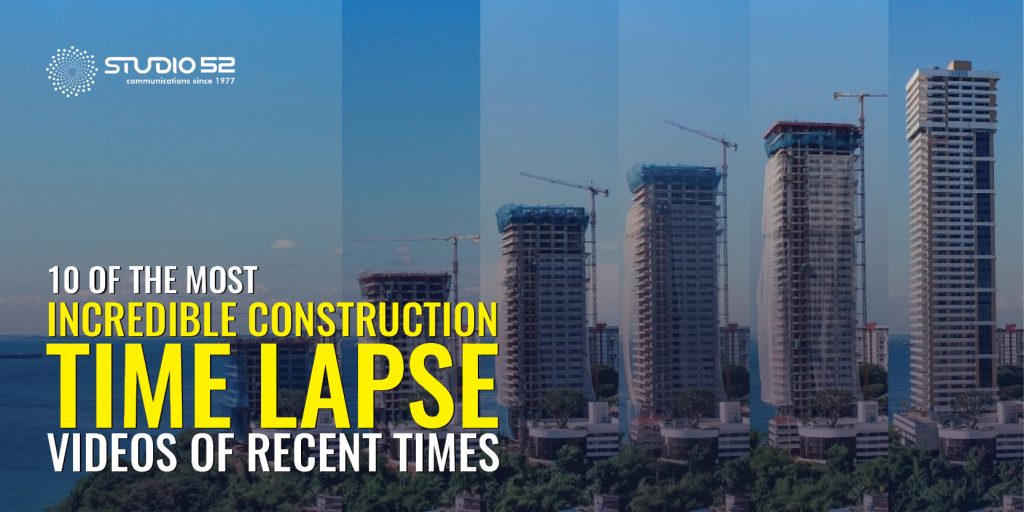
10 of the Most Incredible Construction Time Lapse Videos of Recent Times

  When you are building something remarkable, it is evident that you would want to capture the story of its creation from start to finish. W...